Clean Your Keycaps Expired Codes & Scam Warning
Why dead codes fail, how fake code sites trick players, and how to protect your Roblox account.
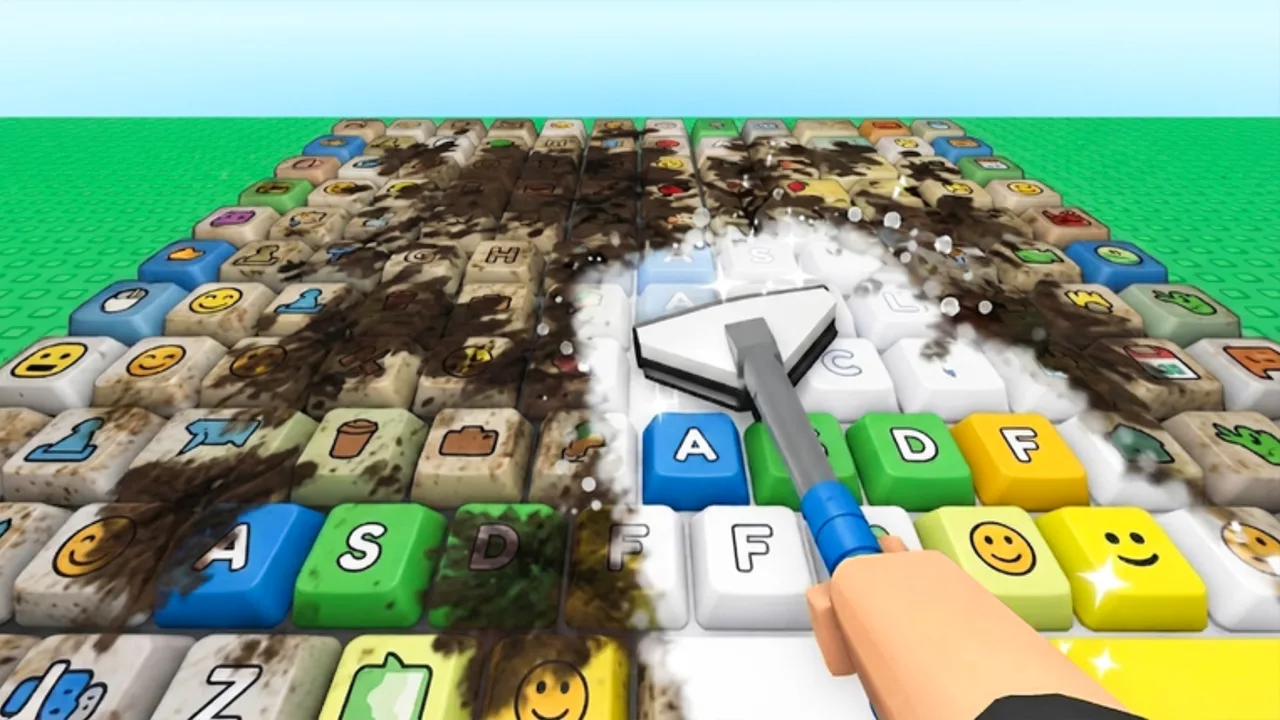
Search interest spikes whenever a Roblox sim gets popular, and Clean Your Keycaps is no exception. With millions of visits and a strong daily player count, the game attracts legitimate fans — and also recycled code lists, fake generators, and phishing pages that borrow the game’s name for clicks.
This page explains how expired promo codes behave, why you should never trust random strings from comment sections, and what to do if you already clicked a suspicious link. Pair it with Active Codes for codes that still work and How to Redeem Codes for safe in-game steps.
Expired codes table
Clean Your Keycaps is young enough that we have no confirmed expired developer codes to archive yet — there were no verified active codes to begin with. When promos run and later shut off, we will list them here with the last known reward and expiry context so you stop wasting time re-typing dead strings.
| Code | Reward (last known) | Status |
|---|---|---|
| — | — | No expired official codes recorded |
Expired codes typically return the same “Invalid” or “Expired” message as fake ones, which confuses players who saw an old YouTube video still ranking in search. Checking this table before retrying saves frustration.
How fake code lists spread
Fake promos follow a predictable playbook on Roblox:
- Cross-game recycling — a code that worked in an unrelated simulator is pasted into Clean Your Keycaps videos.
- Typo farming — slightly altered strings (
CLEANKEYCAPSvsCLEANKEYCAP) send traffic to ad-heavy sites when you search the “fix.” - Off-site redeem pages — sites ask for your Roblox login “to apply the code.” Roblox never requires this for legitimate promos.
- Executable downloads — “code unlockers” bundled with malware or cookie stealers.
- Comment bot floods — identical paste spam under unrelated Shorts.
Because Clean Your Keycaps has no verified public codes yet, any site claiming ten working codes is almost certainly fabricating content. Treat those lists as misinformation, not a secret stash.
Red flags to watch for
Stop immediately if you see any of the following:
- Password prompts outside the official Roblox login at roblox.com.
- Human verification loops that never end — endless surveys or app installs.
- Robux generators promising unlimited currency in exchange for account details.
- Discord servers with no link from the official game page, demanding you “verify” with a third-party bot.
- Executor ads paired with “exclusive codes only works with this script.”
Real codes are short text strings redeemed inside the game. They do not require downloads, browser extensions, or sharing your email password.
What to do if you clicked a scam link
If you only viewed a page and did not log in, close the tab and clear suspicious browser extensions. No further action is usually needed.
If you entered your Roblox password on a fake site, change your password immediately on the real Roblox site, enable two-step verification, and sign out of other sessions in account settings. Review account email and linked social logins for changes you did not make.
If you downloaded a file, run a reputable antivirus scan, uninstall unknown programs, and avoid entering Roblox until you are confident the device is clean. Never run executors on accounts you care about — bans and theft are both common outcomes.
Roblox Support can help with compromised accounts, but recovery is easier when you act within the first hours after a phishing attempt.
Legitimate alternatives to code hunting
Chasing unverified codes is often slower than playing the designed progression loop. These wiki guides cover systems that always function:
- How to Play — master scrub, rinse, polish, and placement.
- How to Clean Faster — upgrade sponges and soap efficiently.
- How to Earn Money — optimize sell timing and placement.
- Hire Workers — automate washing while you focus on upgrades.
- How to Rebirth — stack permanent multipliers instead of one-time handouts.
Codes will matter when they exist; until then, skill and upgrade routing beat hours spent refreshing scam pages.
Reporting misleading content
If you find a video or site impersonating 2 da moon! or promising fake Clean Your Keycaps codes that phish credentials, use the platform’s report tools. Roblox also allows reporting experiences that mimic the official place ID with misleading titles.
Community reports help, but personal safety still starts with verifying against Active Codes and official creator channels before typing anything into a login form.
When this page grows
After the developers run their first promo, expect this list to fill with retired event codes — often within days or weeks of launch. We will keep expired entries for reference so old social posts make sense, but we will never present them as still working. Check the Codes hub for the latest split between active and retired promos.
Frequently Asked Questions
Quick answers for Clean Your Keycaps players.
Do expired Clean Your Keycaps codes ever come back?
Rarely. Some developers re-run holiday codes, but most expired strings stay dead permanently. Watch the Active Codes page for new announcements instead of retrying old ones forever.
Are code generator websites ever real?
No legitimate Roblox code generator exists. Real codes are created by developers and redeemed in-game. Generator sites exist to show ads or steal logins.
Why do YouTubers show codes that fail for me?
Many creators reuse unverified lists for views. The code may be fake, expired, or copied from another game. Trust only verified sources listed on this wiki.
Can using fake code sites get my account banned?
Entering passwords on phishing sites can lead to theft, not just bans. Executors advertised alongside fake codes violate Roblox rules and risk moderation action on your account.
How do I know an expired code is official?
We only archive codes that were previously verified on Active Codes or announced by 2 da moon!. Random strings from old videos without a paper trail are not listed here.